
Skip to plugins

WooCommerce extensions trusted across 25,000+ websites.

Original File Uploads Addon product icon

WooCommerce File Upload Plugin

File Uploads Addon for WooCommerce

Collect customer files directly with WooCommerce orders

Add file uploads to WooCommerce products, control what customers can upload, make files mandatory when required and keep every upload connected to the order.

  • Required or optional uploads
  • Product & category rules
  • File links with orders
  • 30-day money-back guarantee
01 · CUSTOMER UPLOAD02 · FILES WITH THE ORDER
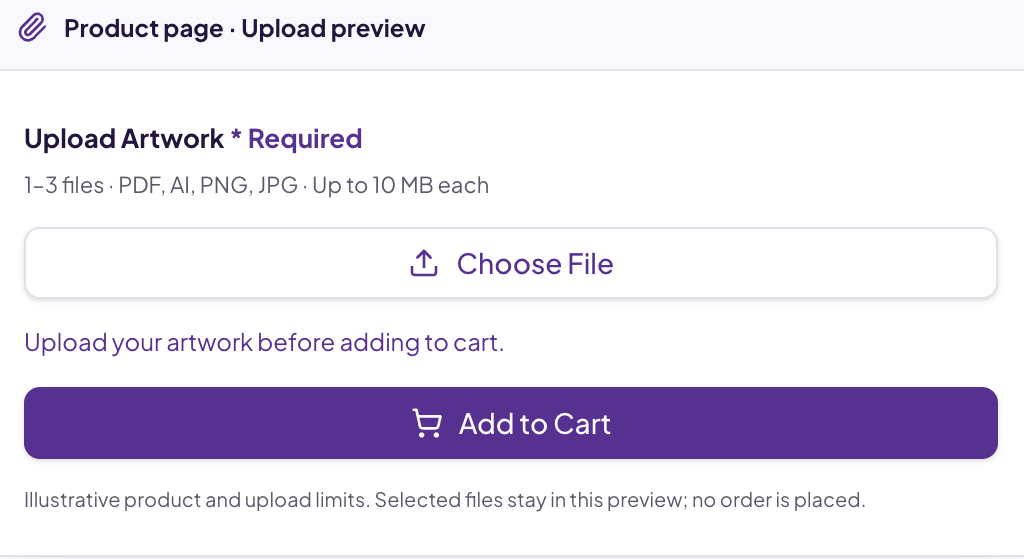
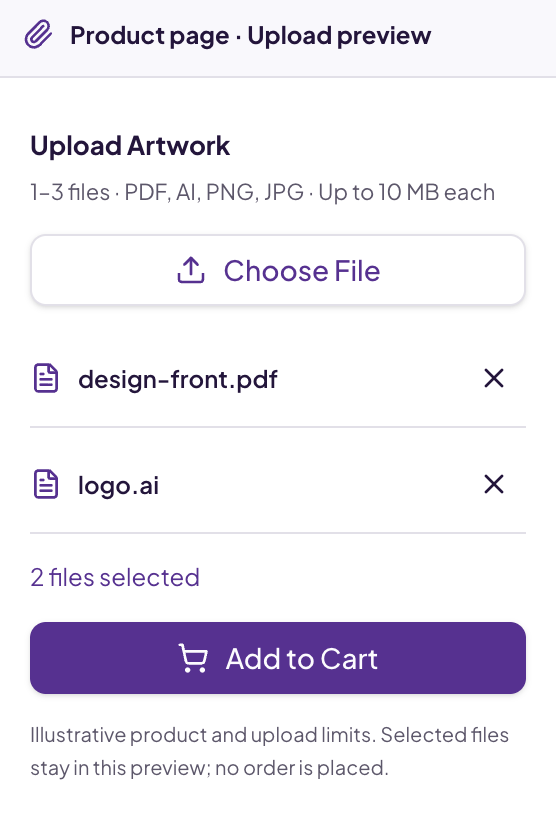
Product page · Upload preview
Illustrative personalized printed T-shirt

Custom Printed T-Shirt

Your artwork. Your product.

$XX

1–3 files · PDF, AI, PNG, JPG · Up to 10 MB each

  • design-front.pdf
  • logo.ai

2 files selected

Illustrative product and upload limits. Selected files stay in this preview; no order is placed.

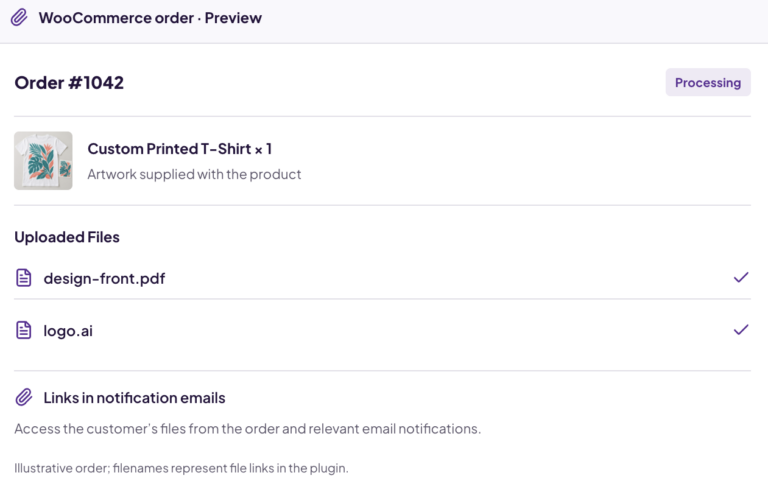
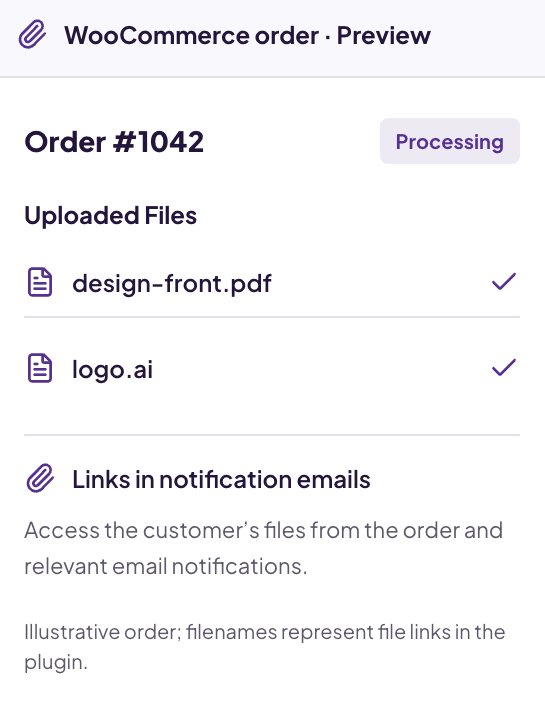
WooCommerce order · Preview

Order #1042

Processing
Example printed T-shirt order item

Custom Printed T-Shirt × 1

Artwork supplied with the product

Uploaded Files

  • design-front.pdf
  • logo.ai

Links in notification emails

Access the customer’s files from the order and relevant email notifications.

Illustrative order; filenames represent file links in the plugin.

Multiple File Uploads

Collect more than one customer file

Required Uploads

Require files before adding to cart

File Validation

Formats, size and image dimensions

Product-Level Rules

Configure uploads by product

Category Rules

Enable selected product categories

Files With Orders

Access files from WooCommerce orders

Files first. Fulfilment next.

Stop chasing customers for files after they place an order

Collect the information production needs while the customer is ordering — not across separate email threads.

  • Problem

    Artwork arrives by email after the order.

    Solution

    Collect files directly on the product page before the order is placed.

    Feature used

    Product-page uploads

  • Problem

    Customers forget the file you need.

    Solution

    Require the upload before the product can be added to the cart.

    Feature used

    Mandatory uploads

  • Problem

    Wrong formats or dimensions slow down production.

    Solution

    Validate file types, image dimensions and upload limits.

    Feature used

    File validation

  • Problem

    Different products need different files.

    Solution

    Configure uploads for individual products or selected categories.

    Feature used

    Product & category rules

  • Problem

    An order needs more than one file.

    Solution

    Allow multiple uploads with minimum and maximum file counts.

    Feature used

    Multiple-file controls

  • Problem

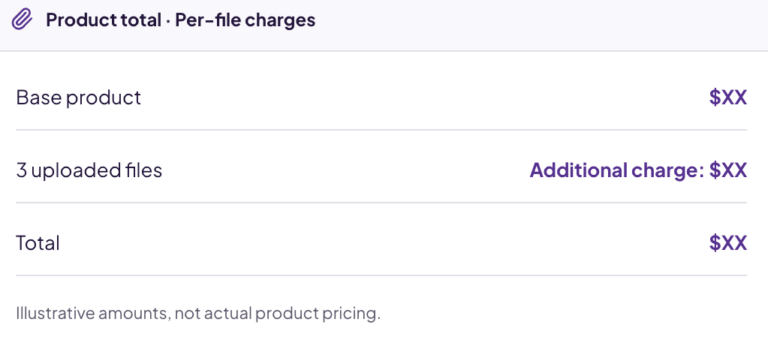
    Additional files mean additional work.

    Solution

    Add customer charges based on the number of files uploaded.

    Feature used

    Per-file charges

Core capabilities

Collect the right files before production begins

A practical upload workflow for personalized, printed and made-to-order products.

01

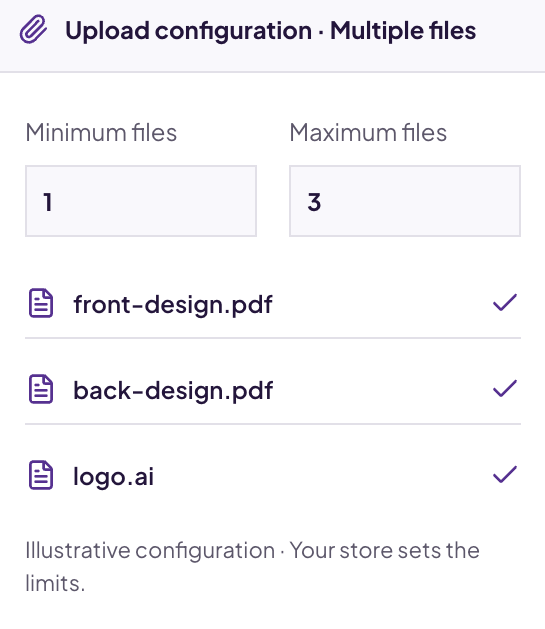
Collect every file the order requires

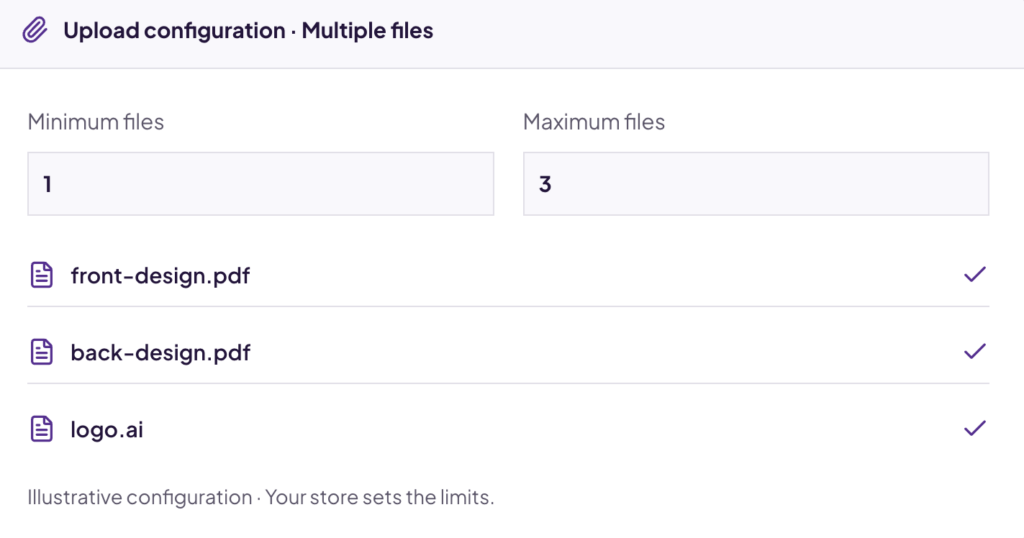
Let customers provide front artwork, back artwork and logos with the product. Set a minimum and maximum file count, using one control or separate fields.

  • Multiple files through one field
  • Separate upload fields when needed
  • Store-defined minimum and maximum counts
02

Don’t accept the order until the required file is attached

Make uploads mandatory when production cannot begin without customer artwork or documentation. Customers see the requirement before adding the product to their cart.

  • Required or optional by product
  • Clear upload requirement
  • No missing-artwork order handoff

03

Accept the files your workflow can actually use

Define accepted file types, size limits and image dimensions. These checks help customers supply usable files; they do not inspect content or guarantee print quality.

  • Configured file formats
  • Image width and height limits
  • File and image size restrictions

04

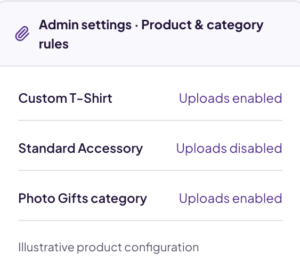
Ask for uploads only where they’re needed

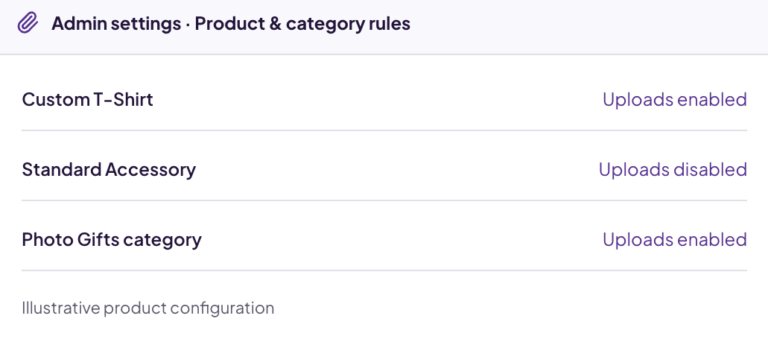
Enable uploads for specific products and product categories. Keep standard accessories simple while collecting artwork for custom products.

  • Individual product configuration
  • Product-category configuration
  • Custom and translatable upload labels

05

Keep customer files connected to the WooCommerce order

Administrators can find file links in order administration and relevant notification emails. Keep order details and production files together.

  • Links in WooCommerce order administration
  • File links in notification emails
  • Less searching across separate messages

06

Charge more when customers submit more files

Add charges based on the number of uploaded files where additional submissions create more production work. Configure this for individual products.

  • Charges based on uploaded file count
  • Individual product configuration
  • Reflect additional production work

Also included

  • Multiple file uploads
  • Minimum file count
  • Maximum file count
  • Required uploads
  • Product-specific configuration
  • Product-category configuration
  • File-type validation
  • Image width limits
  • Image height limits
  • Image / file size limits
  • Custom upload labels
  • Translatable labels
  • Single or multiple fields
  • Files accessible from orders
  • File links in notification emails
  • Per-file customer charges
  • Custom Add to Cart text

How it works

From customer upload to order fulfilment

  1. 01

    Configure the requirement

    Choose products or categories and define upload rules.

  2. 02

    Customer selects a product

    Show your upload label and requirements on the product.

  3. 03

    Customer provides the files

    Check file count, format, size and image dimensions.

  4. 04

    Receive files with the order

    Access file links in the order and notification emails.

Validation

Prevent unusable files from reaching your production workflow

Set upload requirements so customers provide files that better match what your team can process.

  • Allow configured file formats
  • Set minimum and maximum image dimensions
  • Limit file and image size
  • Define minimum and maximum upload counts

Dimension checks apply to images. Validation is not malware scanning or a guarantee of print quality.

View the original product validation graphic Original File Uploads graphic illustrating configured size and image dimension limits
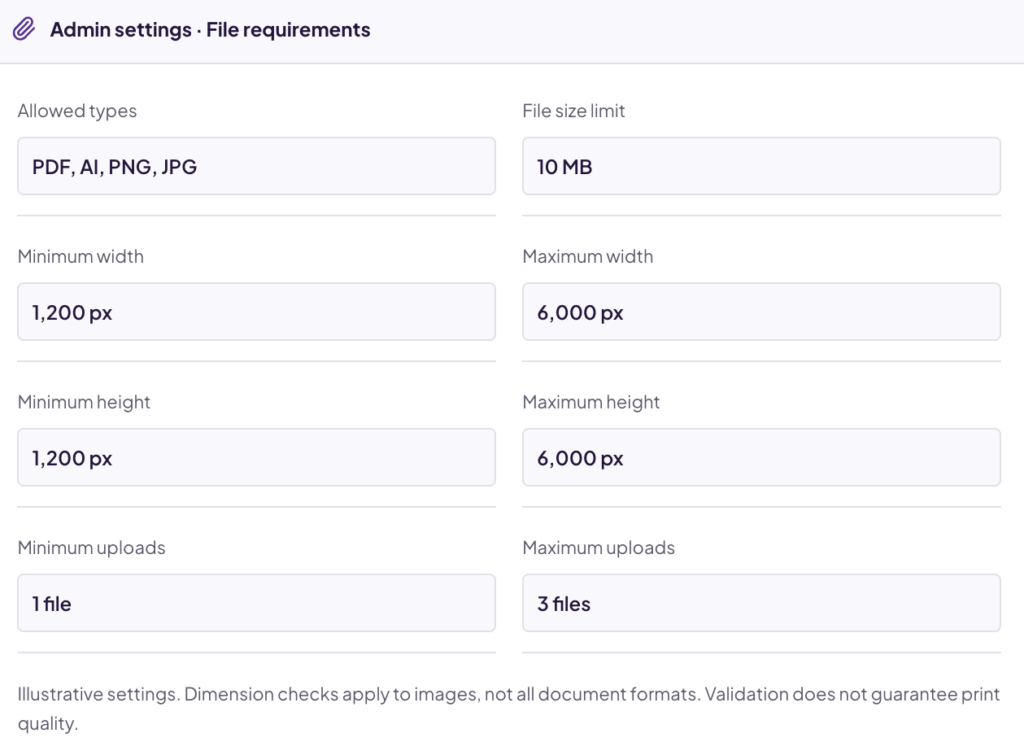
Admin settings · File requirements
Allowed types
PDF, AI, PNG, JPG
File size limit
10 MB
Minimum width
1,200 px
Maximum width
6,000 px
Minimum height
1,200 px
Maximum height
6,000 px
Minimum uploads
1 file
Maximum uploads
3 files

Illustrative settings. Dimension checks apply to images, not all document formats. Validation does not guarantee print quality.

Use cases

Built for stores that need customer files before fulfilment

Artwork arrives with the product order

For custom apparel, mugs, personalized gifts and printed merchandise.

Capabilities used

  • Required uploads
  • Order-linked files
  • Product rules
  1. 1 Choose the product
  2. 2 Upload artwork
  3. 3 Place the order
  4. 4 Production accesses the artwork

Upload workflows

One upload field or several — depending on your product

Use the upload configuration that matches what you need to collect. Multiple fields do not imply conditional or dynamic fields.

A · One control, multiple files

Product page · Upload preview

1–3 files · PDF, AI, PNG, JPG · Up to 10 MB each

  • design-front.pdf
  • logo.ai

2 files selected

Illustrative product and upload limits. Selected files stay in this preview; no order is placed.

B · Separate controls for distinct artwork

Separate upload controls

Illustrative fields. Files stay in this preview.

Order management

Keep files where your team already manages the order

Less searching across email threads and separate file-sharing messages. Customer files stay associated with the WooCommerce order.

  • Access file links from order administration
  • Find file links in relevant notification emails
  • Hand customer files to your fulfilment team
WooCommerce order · Preview

Order #1042

Processing
Example printed T-shirt order item

Custom Printed T-Shirt × 1

Artwork supplied with the product

Uploaded Files

  • design-front.pdf
  • logo.ai

Links in notification emails

Access the customer’s files from the order and relevant email notifications.

Illustrative order; filenames represent file links in the plugin.

Customer stories

Customer files, captured at the right moment

“I am super happy with the plugin. Works as expected. The problem of capturing images for our orders is solved and that has helped us focus on growing the business. Highly recommend to anyone starting a print-on-demand store!”
Marina Ubeda Digital Marketing Expert Print-on-demand workflow
“This is a great plugin. It gives us exactly what we need, and very simple to use. Also SUPER-GREAT support.”
Keren Elle · Founder & CEO, WE, Keren Elle · Founder & CEO, WE Product-page review · excerpt
“The plugin is simple to use and does exactly what I need. I had a small issue on my single product page, but the support was excellent.”
Eddie Pelser, Technical Manager, Nedbank Product-page review · excerpt

Pricing

Choose a plan that suits your needs

Choose the number of stores where you need customer file uploads.

Single Site

1 WooCommerce store

$29.99

Published price · USD

  • Regular plugin updates
  • Plugin support for one site
  • 30-day money-back guarantee
Buy Single Site

Five Sites

Up to 5 WooCommerce stores

$55.99

Published price · USD

  • Regular plugin updates
  • Priority support for five sites
  • 30-day money-back guarantee
Buy Five Sites

Unlimited Sites

All your WooCommerce stores

$79.99

Published price · USD

  • Regular plugin updates
  • Priority support for all sites
  • 30-day money-back guarantee
Buy Unlimited Sites

Try it with confidence

Your purchase is covered by a 30-day money-back guarantee according to the refund policy.

FAQ

Questions about File Uploads Addon

Can customers upload multiple files?

Yes. Allow several files with configured minimum and maximum file counts.

Can I require customers to upload a file?

Yes. Make uploads mandatory so the product cannot be added to the cart until the required file is supplied.

Can I set a minimum and maximum number of uploads?

Yes. Configure the file-count limits for the upload requirement.

Which file types are supported?

The plugin supports multiple file formats, subject to your configured allowed types and WordPress/server upload restrictions. Check documentation for your required formats.

Can I allow uploads only for certain products?

Yes. Configure uploads at the individual product level.

Can I enable uploads by product category?

Yes. Enable uploads for selected WooCommerce product categories.

Can I customize the upload-field label?

Yes. Custom labels and translatable labels are supported.

Can I validate image width and height?

Yes. Configure image width and height limits. These checks do not guarantee print quality.

Can I limit uploaded file or image size?

Yes. Configure size restrictions for accepted uploads, subject to server limits.

Can I charge based on the number of uploaded files?

Yes. Configure per-file customer charges for individual products.

Where can administrators access uploaded files?

File links are available in WooCommerce order administration.

Are uploaded file links available in WooCommerce emails?

Yes. Relevant notification emails can include file links. This does not mean the files are attached to the email.

Can I use multiple separate upload fields?

Yes. Configure separate upload controls when the product needs distinct files.

Can customers upload several files using one field?

Yes. Multiple files can be provided through a single upload control with configured file-count limits.

Can I customize the Add to Cart button text?

Yes. The plugin supports custom Add to Cart text.

What support is included?

The Single Site plan lists plugin support for one site. Five Sites and Unlimited Sites list priority support. The published pricing table does not clearly specify license duration or renewal; confirm these terms before purchasing.

What is the refund policy?

Your purchase has a 30-day money-back guarantee according to the refund policy.

Technical information

Current version
3.7.0 · published snapshot
Last updated
Not listed on product page
WordPress tested up to
6.8 · published snapshot
WooCommerce tested up to
9.8 · published snapshot
PHP requirement
Confirm with documentation

Product-page snapshot checked October 8, 2026. Values are editable presentation data, not a live WordPress feed; confirm current requirements with the documentation.

Related

More WooCommerce tools from Imaginate Solutions

Export Orders for WooCommerce

Put order data to work in fulfilment and reporting.

Collect the files your WooCommerce orders actually need

Let customers upload artwork, images and documents while ordering — with controls for file count, validation and product-specific requirements.